memshonk
memshonk is an experimental command-line debugger companion that tries to fill
the functionality gaps between debuggers. Think of it as a cross between gdb,
rizin, and Cheat Engine. It is not meant to replace a debugger, but to sit
alongside one.
memshonk is in early development. There are bugs and missing functionality.
Inspiration
The gap you kept running into: what your debugger couldn’t do that sent you reaching for a second tool.
How it works
memshonk runs as a client and a daemon. The daemon holds the debugging session, so a session survives an accidental exit and doesn’t need tmux to stay alive, and multiple clients can attach to the same session at once, which is useful for putting memshonk in several windows, or for debugging with someone else.
The client is an sh-like shell. Because it is a real shell, external programs, pipes, job control, history, reverse search, and tab completion all work as you would expect.
A session starts by pointing memshonk at a project file, which records the executable to look for and any variables or plugins to load:
$ memshonk -p examples/vim.txt
(short-seal) $ attach
attached to "vim.exe", pid: 49564, base addr: 0x100400000
(short-seal) [49564] $
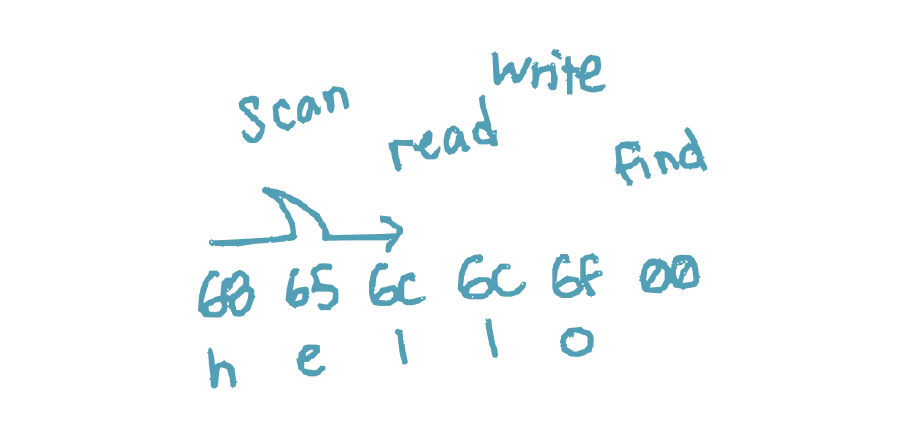
From there you can search memory for a value and read or overwrite what you find:
(short-seal) [49564] $ scan -d string hello
searching..............................................................
0x10079ed7c

(short-seal) [49564] $ writem -a 0x10079ed7c -d raw -v world

(short-seal) [49564] $ readm -a 0x10079ed7c -s 5 -d raw
000000010079ed81   77 6f 72 6c  64                                      |world           |
There is also a video demo.
Features
- Read, write, and watch memory in real time
- View process memory mappings and permissions
- Search memory by data type or byte pattern
- Run side-by-side with your favourite debugger on Linux and Windows
- Multi-session support for multiple clients
- Client-daemon architecture for long-running sessions
- Project files for attaching by executable name, presetting variables, and auto-loading plugins
- Plugin support via shared libraries (
.so,.dll), with a Rust library calledmskitprovided as a building block, and optional automation to recompile a plugin when it is reloaded - Scripting through the
mruncommand, which exposes memshonk commands with POSIX shell syntax
Supported systems
FreeBSD, Linux, and Windows. Other Unix-like systems are possible; they just haven’t been worked on yet. Prebuilt executables aren’t provided; see the project’s development docs to build from source.